

Nvelop AcademyUsing Nvelop · Module 9 of 9
Close Out the Project Properly
How to close out a sourcing project in Nvelop - capture lessons learned and produce audit-ready documentation as a byproduct of the process.
CoversPlan - Closure tabLessons learnedAudit-ready docsProject closeout
Quick Answer
Closeout lives under Plan, in the Closure sub-tab - not its own top-level nav item. The Closure screen is headed 'Finalize' and the Close Project button closes the event with lessons learned and key documents captured.
5 min read·Beginner·Module 9 of 9
Module 9 of 9 - Using Nvelop
Plan, then Closure - not a standalone tab
What this module covers
Closeout lives under Plan, in the Closure sub-tab - not its own top-level nav item. The Closure screen is headed 'Finalize' and contains the Close Project action.
Why this matters
This is the step manual procurement processes skip most often - closeout and lessons-learned rarely happen when they depend on someone remembering to circle back after the deal is done. Building it into the workflow means it actually happens every time.
Step by step
The last step in the lifecycle
1
Step 1 of 4
Navigate to Closure
This is not a separate top-level tab - go to Plan, then click the Closure sub-tab.
Step 2 of 4
The Finalize screen
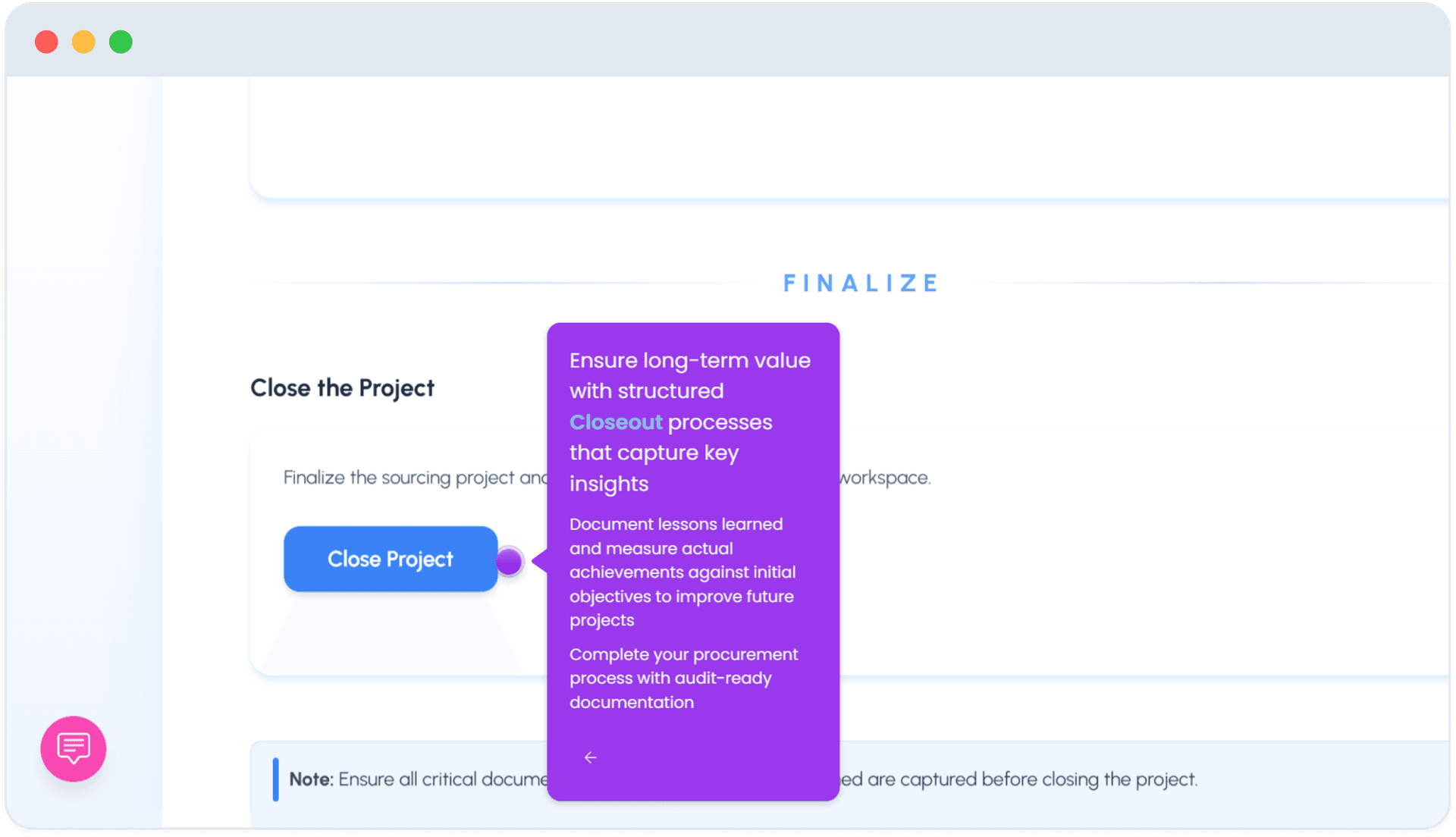
The Closure screen is headed 'Finalize,' with a 'Close the Project' section: finalize the sourcing project and make sure all critical documents, decisions, and lessons learned are captured before closing.
3
Step 3 of 4
Click Close Project
Click Close Project to close it out.
4
Step 4 of 4
Document reminder
A note on the screen explicitly reminds you: ensure all critical documents are captured before closing - because closing produces your audit-ready documentation as a byproduct.
FAQ
Common questions
1Where do I find the closing step?+
Under Plan, then the Closure sub-tab - it is not its own top-level tab in the project navigation.
2What happens when I click Close Project?+
The project closes, with lessons learned and key documents captured as audit-ready documentation, per the on-screen reminder to confirm everything critical is captured first.
See Nvelop in action
Walk through the full sourcing lifecycle live with a product specialist.