

Nvelop AcademyUsing Nvelop · Module 4 of 9
Publish Your RFX and Manage Your Vendor Pool
How to publish your RFX to vendors, manage your vendor pool, and discover new qualified vendors inside Nvelop.
CoversVendor poolRFX publishingQ&A managementRFP preview
Quick Answer
The Tendering tab is where your sourcing event goes live - manage your active vendor pool, handle Q&A with AI-drafted answers, and preview the full RFP before anything goes out.
5 min read·Beginner·Module 4 of 9
Module 4 of 9 - Using Nvelop
The Tendering tab - Vendors, Q&A, and RFP Preview
What this module covers
The Tendering tab's three sub-sections - Vendors (your active vendor pool and publish controls), Q&A (AI-drafted answers to vendor questions), and RFP Preview (review before it goes out).
Why this matters
This is the step where your sourcing event becomes visible to the outside world - getting vendor management right here (clear status tracking, no duplicate or missed sends) avoids the back-and-forth confusion that slows down manual RFX processes.
Step by step
Going live with your sourcing event
Step 1 of 5
Tendering's 3 sub-tabs
Go to Tendering - 3 sub-tabs: Vendors, Q&A, RFP Preview.

2
Step 2 of 5
Your active vendor pool
Vendors shows your active pool in a table (columns: Vendor, Status, Latest RFX Version, Latest Proposal, Actions). Example statuses: Confirmed, Waiting Proposal.
3
Step 3 of 5
Publish actions
Two publish actions sit at the top: 'Republish New RFX Version to Active Vendors' and 'Send Latest RFX to Vendors Needing Updates' - so you choose whole-pool vs. targeted resend.
Step 4 of 5
Q&A management
Q&A is filterable by vendor (an 'All vendors' view plus a per-vendor tab). Each question shows the vendor who asked, the question text, an AI-drafted answer, a Generated/Assign workflow, and a checkbox to 'Publish question to all vendors.'

Step 5 of 5
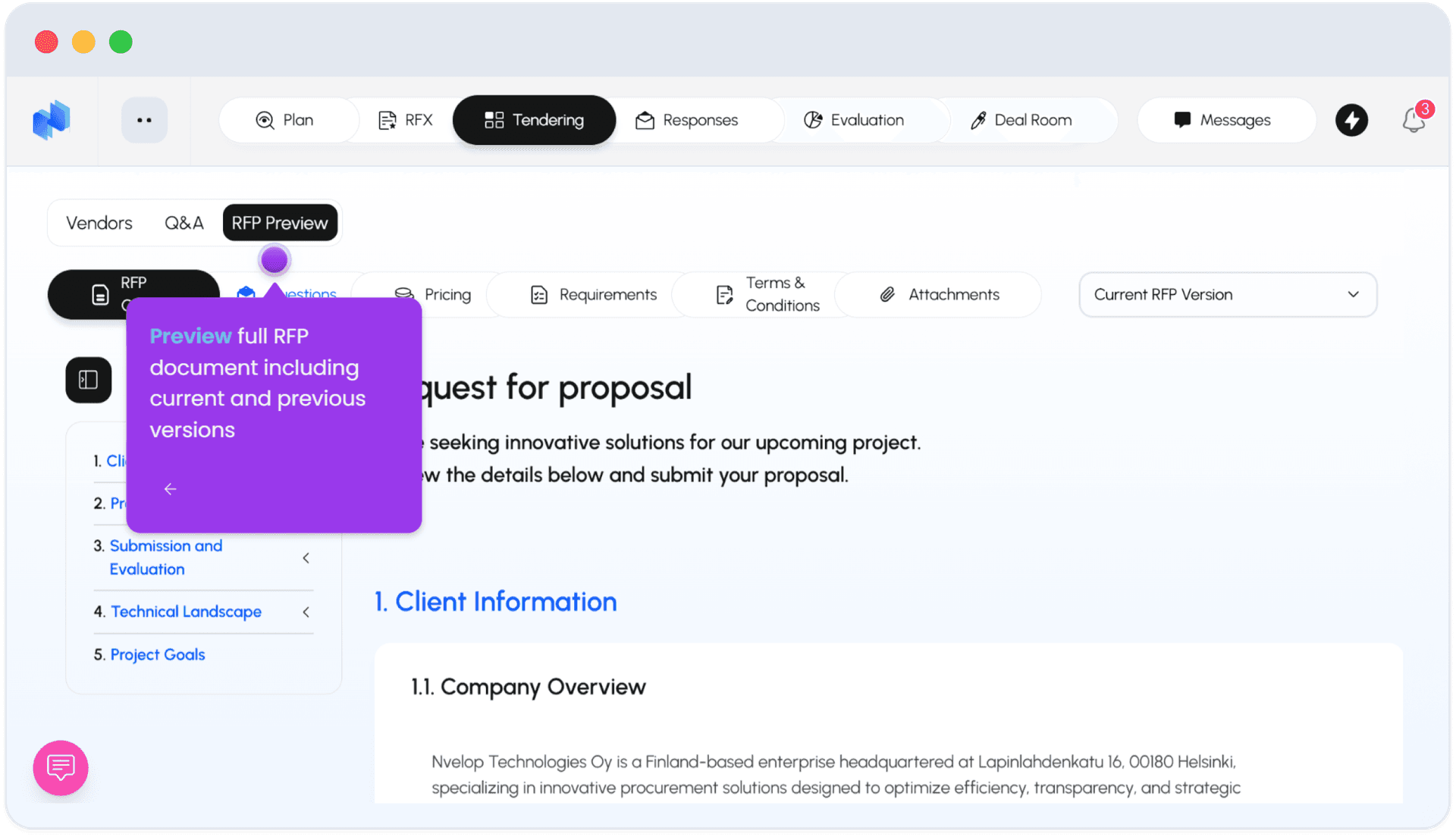
RFP Preview
RFP Preview lets you review the full RFP document - including current and previous versions - before anything goes out.
FAQ
Common questions
1If I update the RFX after publishing, do all vendors get it automatically?+
No - you choose either whole-pool republish or targeted resend to specific vendors who need the update.
2How are vendor questions handled?+
Questions come in through Q&A, get an AI-drafted answer you can assign or refine, and you decide whether to publish the answer to all vendors or just the one who asked.
Keep going
Continue in Using Nvelop
See Nvelop in action
Walk through the full sourcing lifecycle live with a product specialist.