

Nvelop AcademyUsing Nvelop · Module 5 of 9
All Proposals, One Place
See how vendor proposals are centralized in Nvelop, so your team can review every response without digging through email.
CoversCentralized responsesProposal versioningSide-by-side compare
Quick Answer
The Responses tab collects every vendor proposal in one place, organized by vendor and mirroring your RFX structure - so each response is consistently laid out and ready to compare.
5 min read·Beginner·Module 5 of 9
Module 5 of 9 - Using Nvelop
The Responses tab
What this module covers
The Responses tab - a central view of all vendor proposals submitted against your RFX, mirroring the RFX structure so each response is consistently organized.
Why this matters
Centralizing responses is what makes the next step (Evaluation) possible to do consistently - comparing vendors is only fair and fast when their responses live in one place, in a comparable format.
Step by step
Where proposals land
Step 1 of 4
The Responses tab
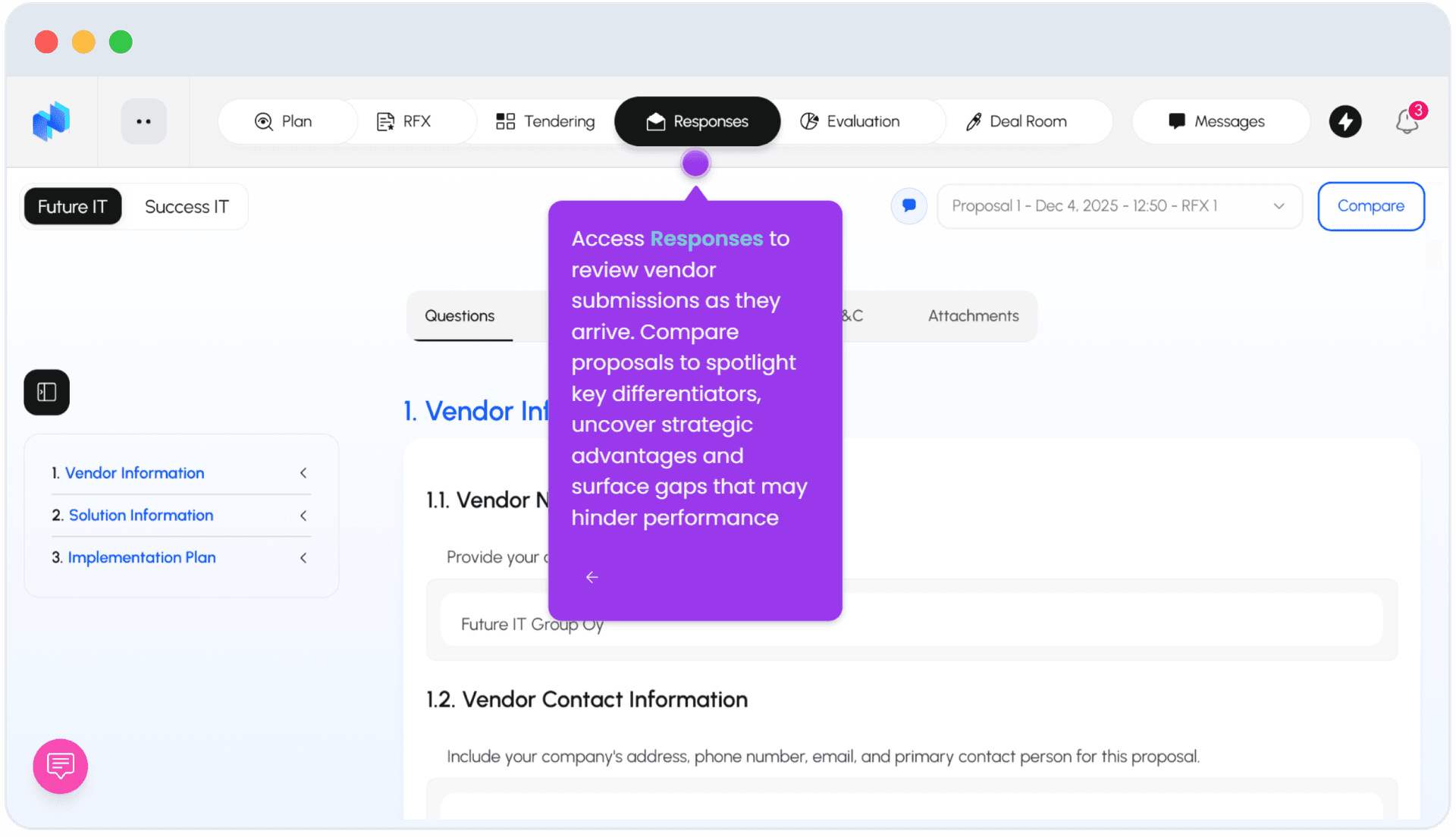
Go to Responses. Vendors who submitted proposals appear as tabs - e.g. two vendors side by side.
2
Step 2 of 4
Response structure
Each vendor's response mirrors the RFX structure: Vendor Information, Solution Information, Implementation Plan, plus their submitted Pricing, Requirements, T&Cs, and Attachments.
3
Step 3 of 4
Proposal versioning
Each proposal is versioned and dated (e.g. 'Proposal 1 - Dec 4, 2025 - RFX v1'), so you can see exactly which RFX version a response was submitted against.
4
Step 4 of 4
Side-by-side compare
Click Compare to view multiple vendors' responses side by side.
FAQ
Common questions
1Can I compare vendor responses side by side?+
Yes - the Compare button puts vendor proposals next to each other so your team can review them simultaneously.
2Are responses tied to a specific RFX version?+
Yes - each proposal is versioned and dated against the RFX version it responds to, so you always know what a vendor was responding to.
Keep going
Continue in Using Nvelop
See Nvelop in action
Walk through the full sourcing lifecycle live with a product specialist.