

Nvelop AcademyUsing Nvelop · Module 2 of 9
Plan Before You Go to Vendors
Set up a sourcing project in Nvelop: define scope, assign your team, and generate AI-powered market research.
CoversProject overviewTeam assignmentAI market researchSourcing strategy
Quick Answer
The Plan tab is where you set up a project before going to vendors - define scope and team in Overview, get AI-drafted objectives in Strategy, and generate automated 10-dimension market research.
5 min read·Beginner·Module 2 of 9
Module 2 of 9 - Using Nvelop
The Plan tab - Overview, Strategy, Market Research, and Closure
What this module covers
The Plan tab's four sub-tabs - Overview, Strategy, Market Research, and Closure. This is where a project gets set up before anything goes out to vendors.
Why this matters
Decisions made here - who is involved, what the deadlines are, what the market actually looks like - shape every step that follows. Market Research in particular is a capability most sourcing teams do not have time to do manually for every project; Nvelop generates it automatically.
Step by step
Setting up your sourcing project
Step 1 of 5
Open the Plan tab
Open a project and go to Plan. It has 4 sub-tabs: Overview, Strategy, Market Research, Closure.
2
Step 2 of 5
Set project basics
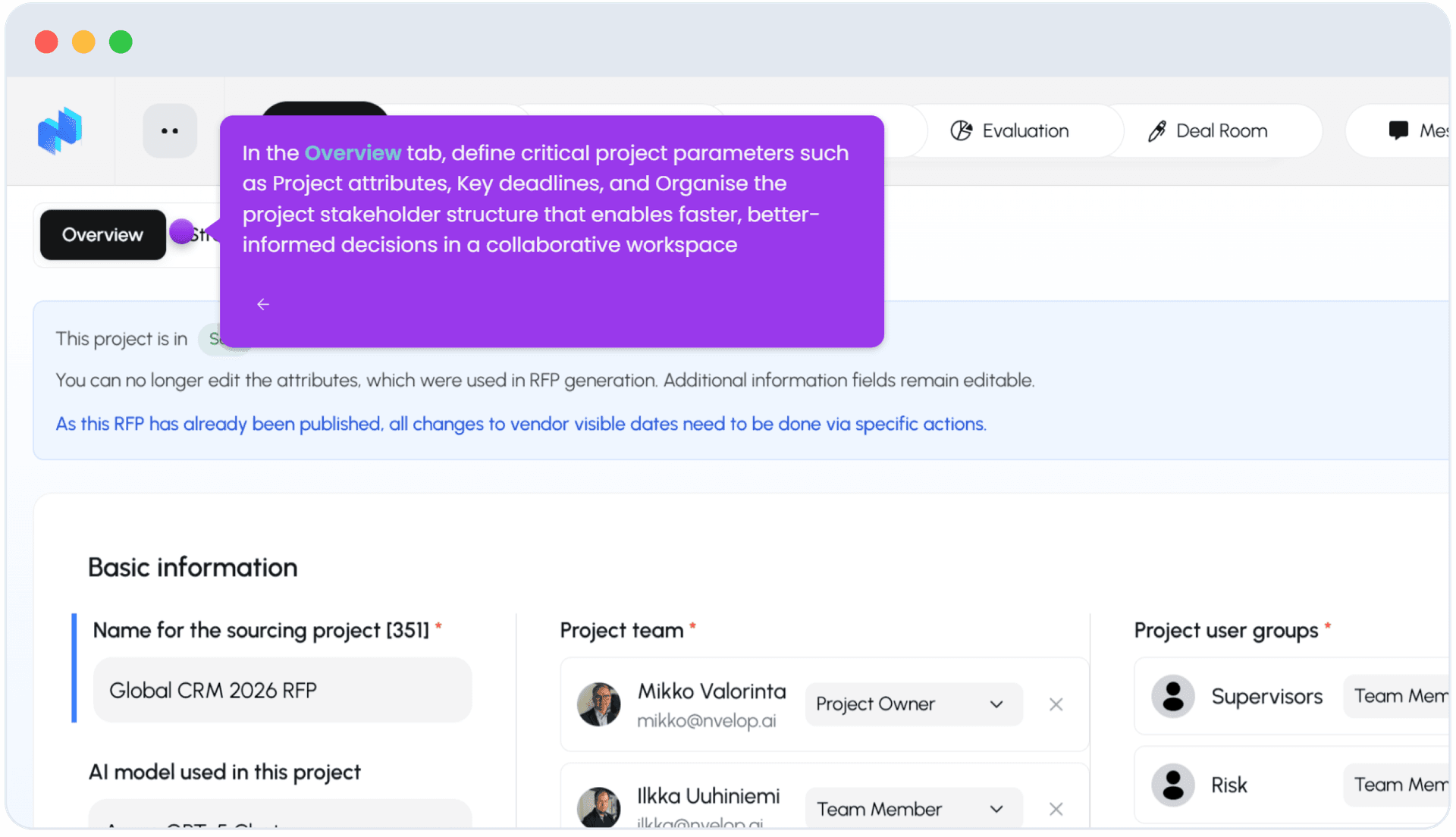
In Overview, set Basic Information: the project name, Project Team (assign a Project Owner and Team Members), and Project User Groups (e.g. Supervisors, Risk). Once the RFP has been generated, the attributes used to build it lock - additional info fields stay editable, and any date changes visible to vendors have to go through specific actions rather than a direct edit.
Step 3 of 5
AI-drafted strategy
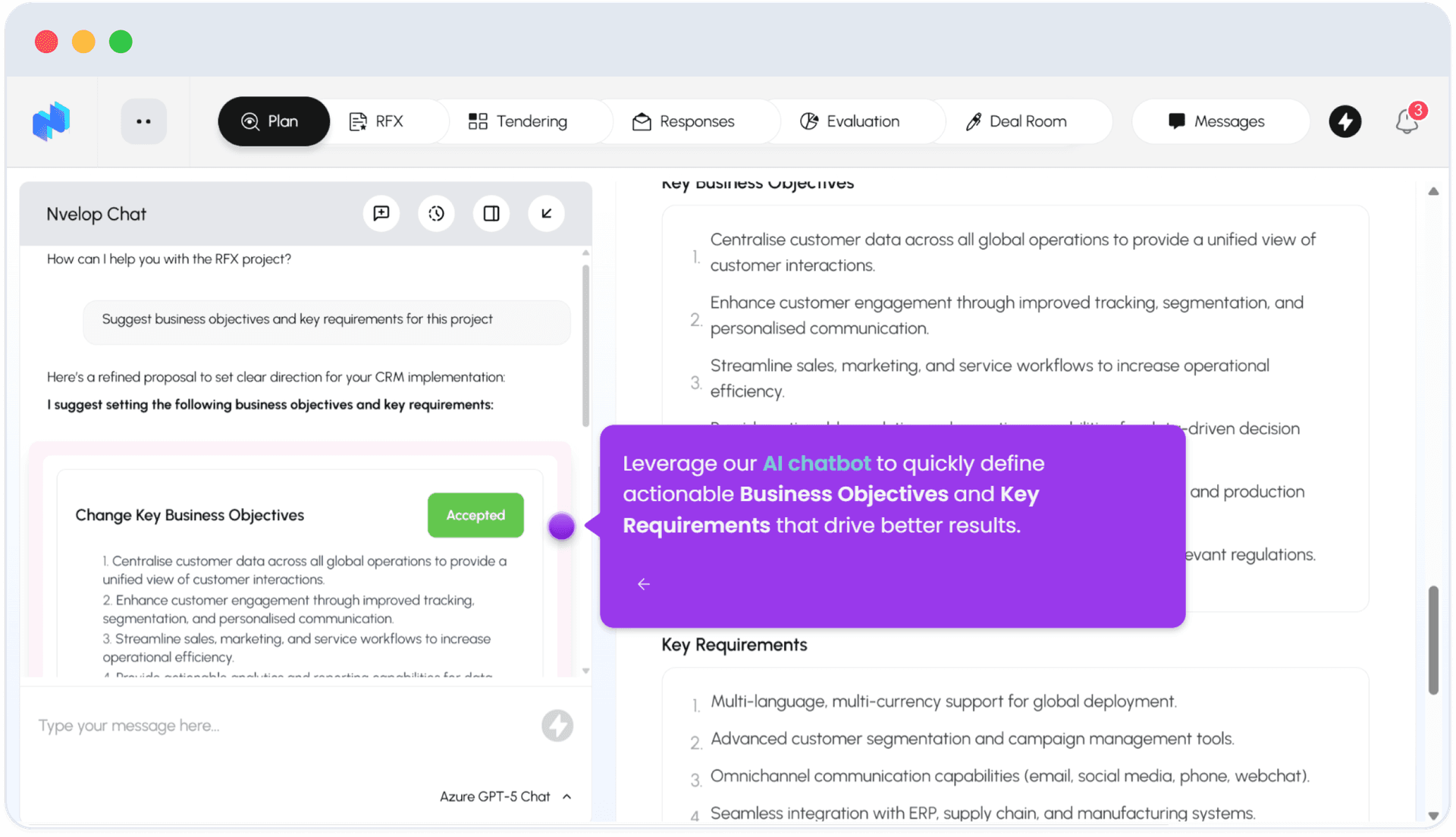
In Strategy, you can ask the built-in Nvelop Chat to suggest Business Objectives and Key Requirements for the project - it proposes a draft that you review and Accept. Strategy also shows a Sourcing Strategy view with Category and Market Context.
Step 4 of 5
Automated market research
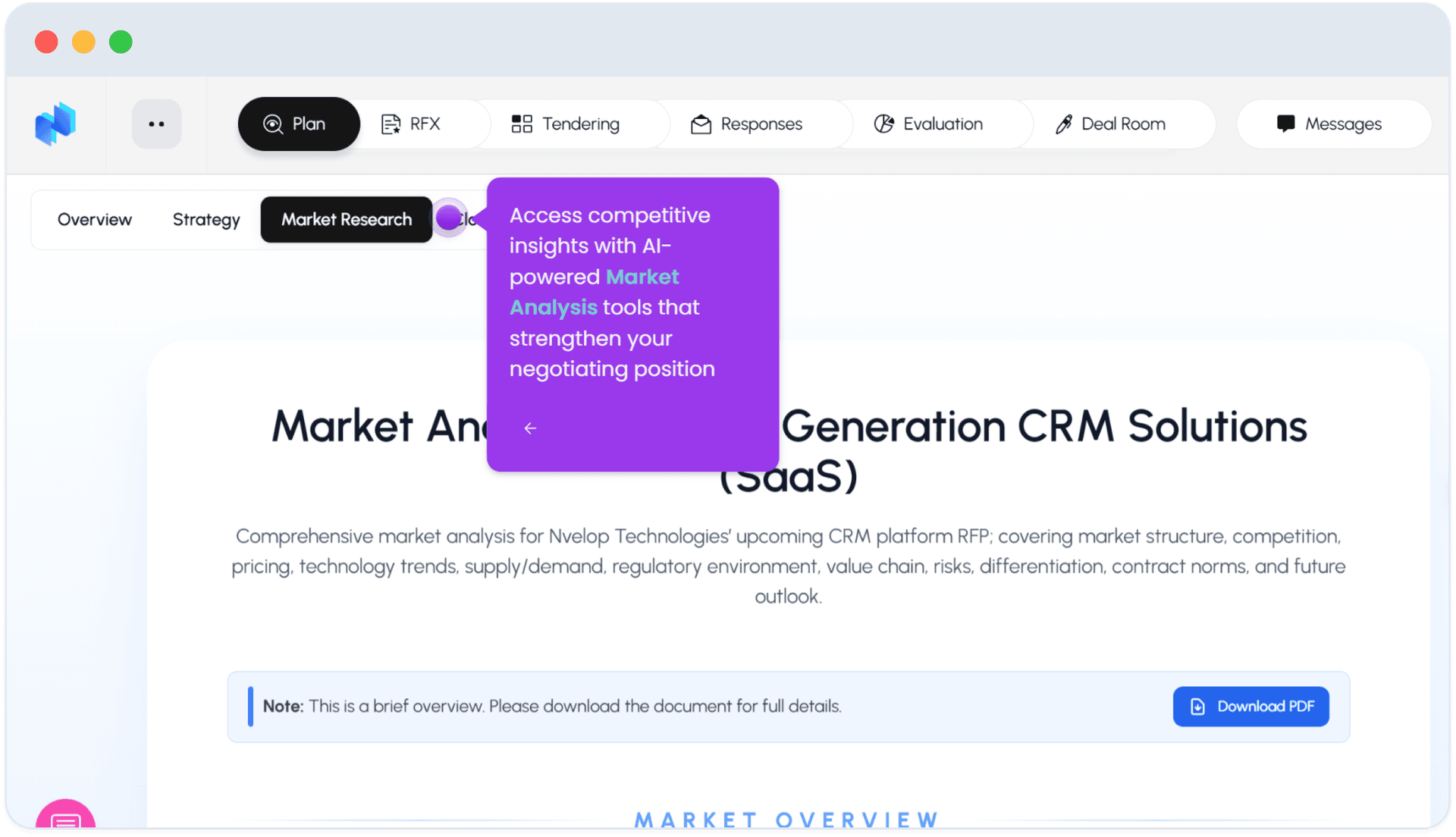
In Market Research, Nvelop generates a market analysis covering market structure, competition, pricing, technology trends, supply/demand, regulatory environment, value chain, risks, differentiation, contract norms, and future outlook. The in-app view is a brief overview; a Download PDF button gets you the full document.
5
Step 5 of 5
About Closure
Closure is also a sub-tab here (covered in Module 9) - it does not sit in its own top-level tab.
FAQ
Common questions
1Can I get AI help drafting business objectives?+
Yes - in Strategy, Nvelop Chat proposes objectives and requirements you can accept or edit before they are saved.
2What exactly does Market Research cover?+
Ten dimensions: market structure, competition, pricing, tech trends, supply/demand, regulatory environment, value chain, risks, differentiation, and contract norms - with a downloadable full PDF beyond the in-app summary.
3Can I still edit the project after the RFP is generated?+
Some fields lock (the attributes used to generate it); other info fields stay editable, and vendor-visible date changes go through specific actions rather than a direct field edit.
Keep going
Continue in Using Nvelop
See Nvelop in action
Walk through the full sourcing lifecycle live with a product specialist.