

Nvelop AcademyUsing Nvelop · Module 1 of 9
Your Project Dashboard, at a Glance
Learn how to sign in to Nvelop and navigate your project dashboard - see every sourcing event's status, deadline, and team at a glance.
CoversSign-in & SSOProject listStatus tracking7 project tabs
Quick Answer
Once you sign in - with email/password or Azure SSO - you land on your project dashboard: a table showing every sourcing event's ID, name, deadline, status, and team in one view.
5 min read·Beginner·Module 1 of 9
Module 1 of 9 - Using Nvelop
The sign-in screen and project dashboard
What this module covers
The sign-in screen (email/password or Azure SSO) and the main project dashboard - a table of all sourcing projects with columns ID, Name, Deadline, Status, Team, and Actions.
Why this matters
This dashboard is the home base for everything else in the track - every later module picks up from a project you have opened here.
Step by step
From sign-in to your first project
Step 1 of 5
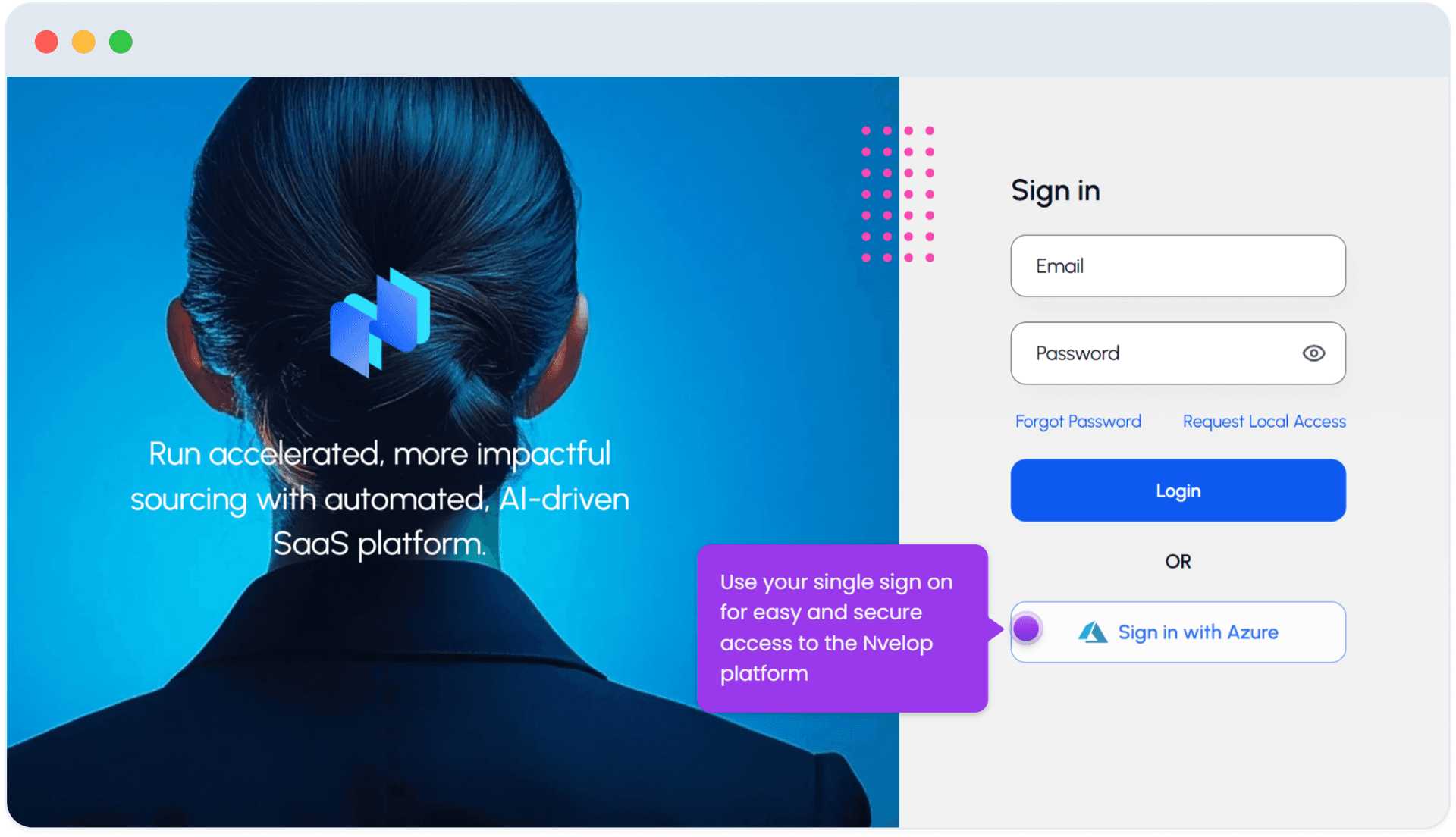
Sign in
Sign in with email/password, or click "Sign in with Azure" if your company uses Microsoft SSO.
Step 2 of 5
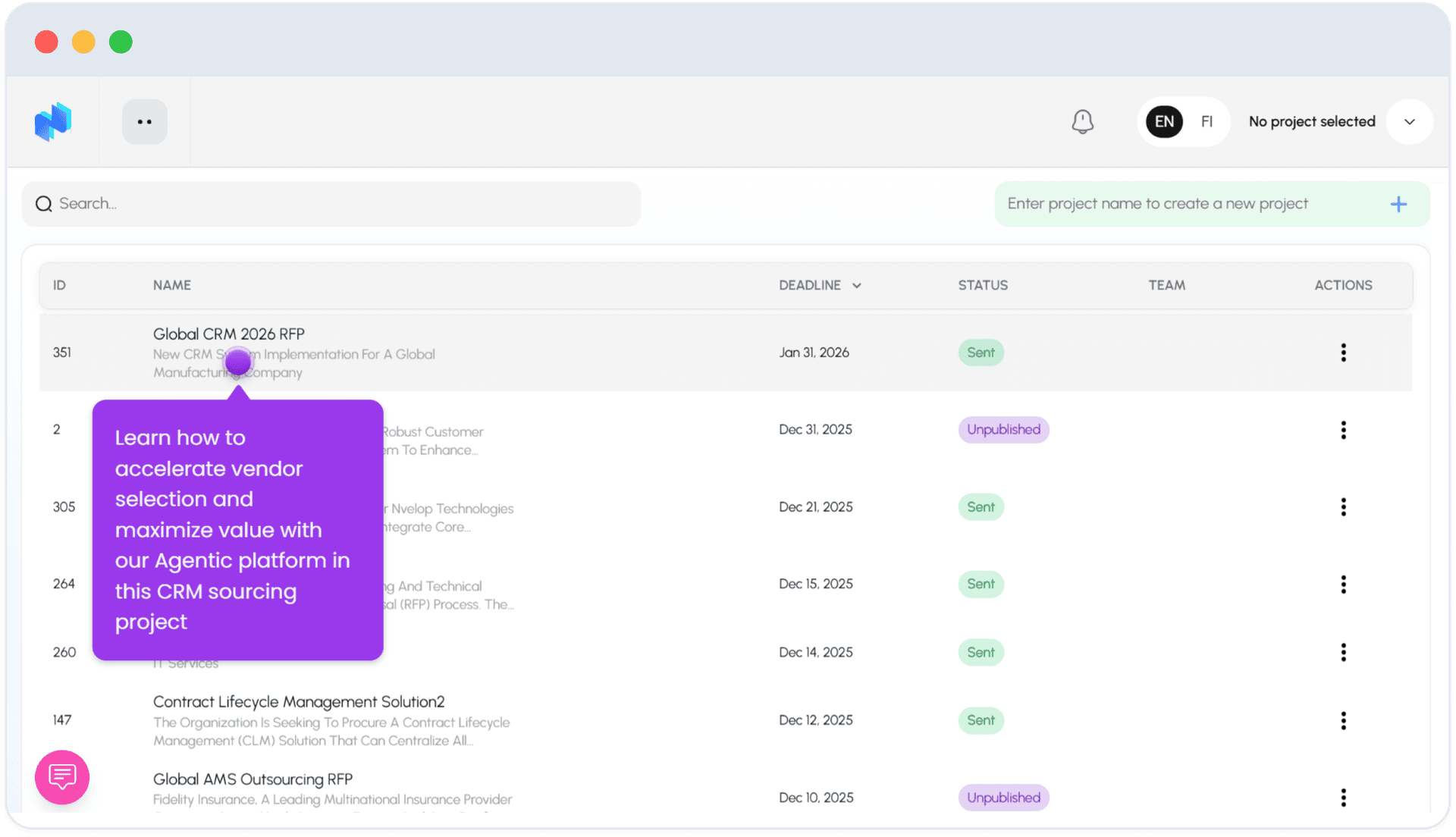
Your project dashboard
You land on the project dashboard - a table with columns ID, Name, Deadline, Status, Team, and Actions.
3
Step 3 of 5
Reading a project row
Example row: project "Global CRM 2026 RFP" (ID 351), deadline Jan 31 2026, status Sent. Status values you will see include Sent and Unpublished.
4
Step 4 of 5
Find or start a project
Use the search bar (top left) to find a project by name, or click the + field (top right) to start a new project.
5
Step 5 of 5
The 7 project tabs
The top nav inside any open project has 7 tabs in order: Plan, RFX, Tendering, Responses, Evaluation, Deal Room, Messages.
FAQ
Common questions
1Does Nvelop support SSO?+
Yes - Azure SSO alongside email/password sign-in.
2What are the 7 main sections of a project?+
Plan, RFX, Tendering, Responses, Evaluation, Deal Room, and Messages - the RFx lifecycle in order.
Keep going
Continue in Using Nvelop
See Nvelop in action
Walk through the full sourcing lifecycle live with a product specialist.